How to Block a Program from Accessing the Internet
Follow these steps to create an outbound Windows Firewall rule that blocks a specific program from making outgoing network connections.

- Press Windows logo key + R to open the Run dialog.
Type
wf.mscin the Run dialog and press Enter. This opens Windows Firewall with Advanced Security.In the left pane, click Outbound Rules.

In the right-hand Actions pane, click New Rule….

In the New Outbound Rule Wizard, select Program as the rule type, then click Next.

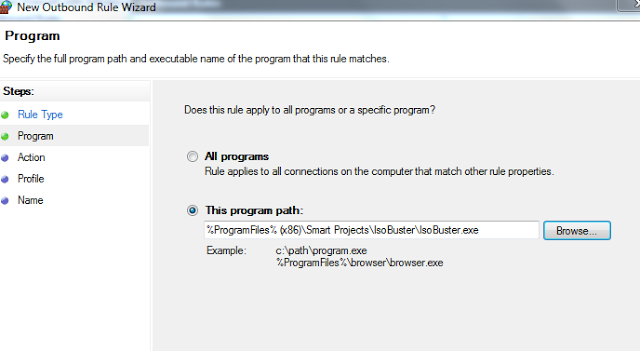
On the Program page, enter the full path to the program’s executable file, or click Browse to locate it. Click Next.

On the Action page, select Block the connection, then click Next.

On the Profile page, select the profiles where the rule should apply. To block the program on all listed profiles, select Domain, Private, and Public, then click Next.

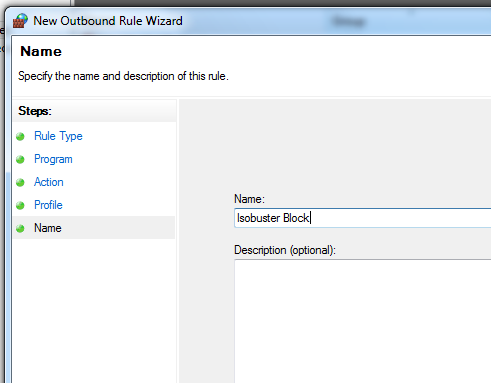
On the Name page, enter a descriptive name, such as Block IsoBuster or Block [Program Name]. Add an optional description if desired, then click Finish.




You’re done!
Your new rule should appear in the Outbound Rules list. Windows Firewall will block outgoing connections for the selected program under the profiles you chose.
To review or change the rule later, double-click it in the Outbound Rules list. You can disable or edit it if you need to restore connectivity or adjust its settings.